

How to Choose Security Surveillance Systems for Schools and Offices
A security camera is only useful if it captures the right view when an incident happens. For schools and offices, choosing Security surveillance systems involves more than comparing camera prices. The layout, lighting, recording quality and ease of use all deserve attention.
A well-planned system should help authorised staff monitor important areas, review incidents and manage security without unnecessary complexity.
Start with Your Building’s Security Needs
Before selecting equipment, identify the areas that need coverage and what each camera should capture.
For Schools
Assess entrances, reception areas, corridors, boundary gates and student collection points. Consider busy arrival and dismissal periods, when people and vehicles can obstruct camera views.
For Offices
Focus on reception, entry and exit points, delivery areas, parking spaces and approaches to restricted rooms. Include after-hours activity, such as cleaning and maintenance visits, in your planning.
A site survey helps establish suitable camera positions and reduces the chance of overlooked areas.
Choose Clear Images and Practical Camera Positions
Higher resolution does not automatically mean better surveillance. Camera angle, viewing distance and lighting also affect the footage.
A camera covering an entire hall may provide a useful overview but limited detail at a distant doorway. Where clearer identification is needed, the camera and lens should suit that specific task.
Ask the installer to demonstrate recorded footage under realistic conditions, especially around bright entrances, shaded corridors and poorly lit outdoor areas.
Check Recording, Storage and User Access
Clear live video is only part of the requirement. Staff must also be able to locate and export recordings when needed.
Before choosing a system, discuss:
- Storage capacity and the required recording period.
- Simple footage search and playback.
- Alerts for camera disconnections or recording failures.
- Secure remote access and individual user accounts.
- Backup power for essential equipment.
Confirm applicable privacy and installation requirements for your premises. Camera locations and footage access should be carefully controlled, particularly in schools.
Plan Surveillance Alongside Your Other Technology
Coordinating security with audiovisual and networking projects can reduce repeated installation work and improve equipment placement.
Smart Classroom Technology
Schools introducing Smart classroom technology should plan power, cabling and network capacity alongside surveillance requirements. Interactive displays and teaching equipment need reliable infrastructure, while camera access should remain restricted to authorised staff.
Digital Signage Solutions
Digital signage solutions can display visitor directions, school notices and workplace announcements. Position screens so they do not obstruct camera views, and establish who can update the content.
LED Videowalls Supply and Installation
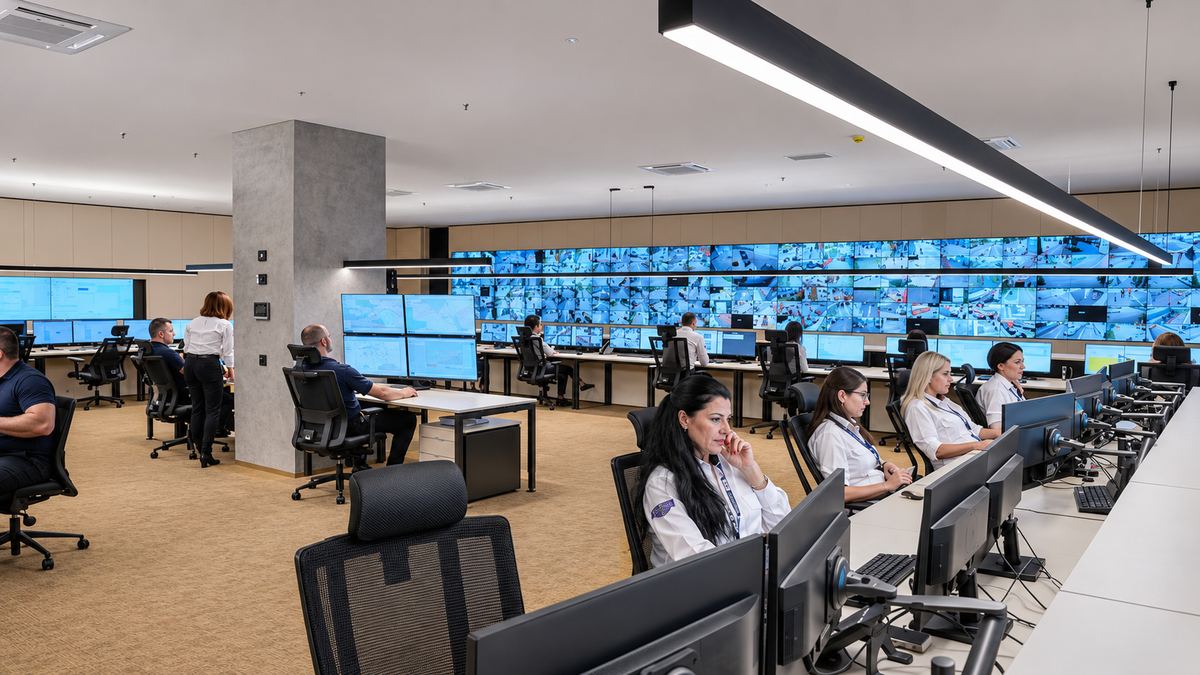
For auditoriums, reception areas or monitoring rooms, LED videowalls supply and installation should account for viewing distance, brightness, mounting and maintenance access. Screens displaying security footage should be positioned where only authorised personnel can view them.
Choose an Installation Partner with Ongoing Support
A detailed proposal should explain camera coverage, recording arrangements, installation work and staff training. Ask about maintenance, warranties and support response times before making your decision.
Satin AVS provides CCTV, audiovisual, networking, access control and digital signage services, with design, installation, commissioning and after-sales support. This helps schools and offices discuss their security and wider technology requirements together.
Contact Satin AVS to discuss a surveillance solution suited to your building and daily operations.
FAQs
1. How many cameras does a school or office need?
The number depends on the building layout, access points and required image detail. A site survey should determine the appropriate coverage.
2. Are high-resolution cameras always necessary?
Resolution matters, but lighting, camera position and lens selection are equally important. Choose equipment based on the purpose of each view.
3. Can existing cameras be used in an upgraded system?
Yes, where they remain compatible, supported and capable of meeting the required image quality.
4. How long should recordings be stored?
Confirm the applicable requirements and your organisation’s policies, then size the storage accordingly.
5. Why is regular maintenance important?
Maintenance helps identify dirty lenses, failed storage, disconnected cameras and changes that obstruct coverage.
